Coming soon
App Store
Wyvo for iPhone. Not available to download yet.
AI meal and workout planning
Wyvo builds your meal and workout plans with AI, then adjusts them around the meals, workouts and weigh-ins you log.
Wyvo is not available to download yet. For adults aged 18 and over.
A plan is a starting point. Wyvo keeps rebuilding yours around what you actually do.
01 Inside
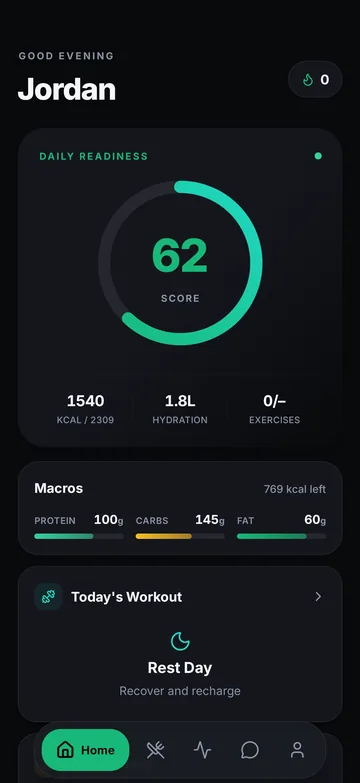
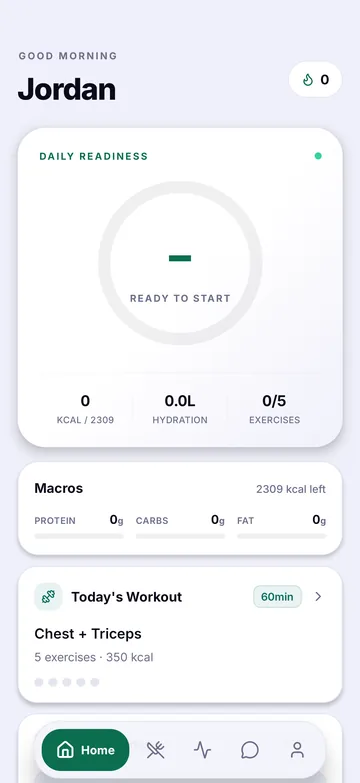
Four screens from the app.
A daily readiness score, calories, hydration and macros against your targets, with today’s workout one tap away.
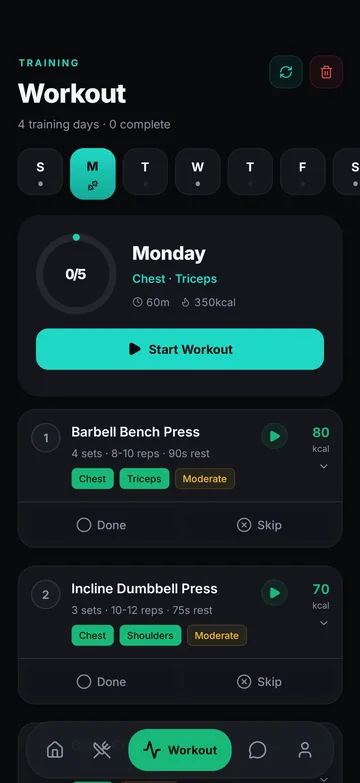
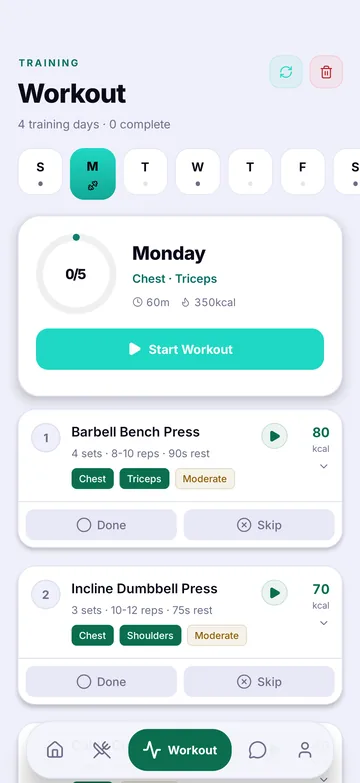
Your training days, with sets, reps and rest for each exercise. Each exercise links to a demonstration video, and you log sets as you go.
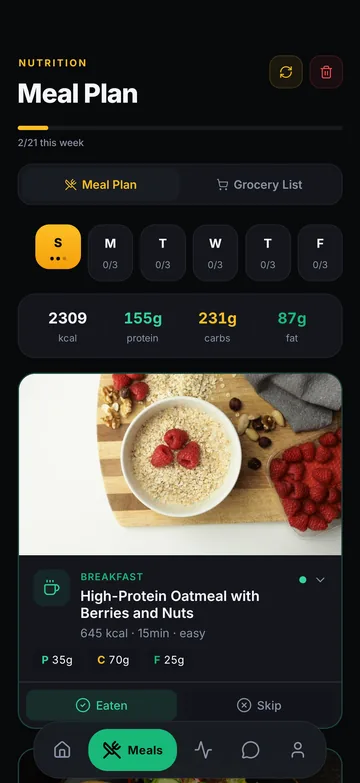
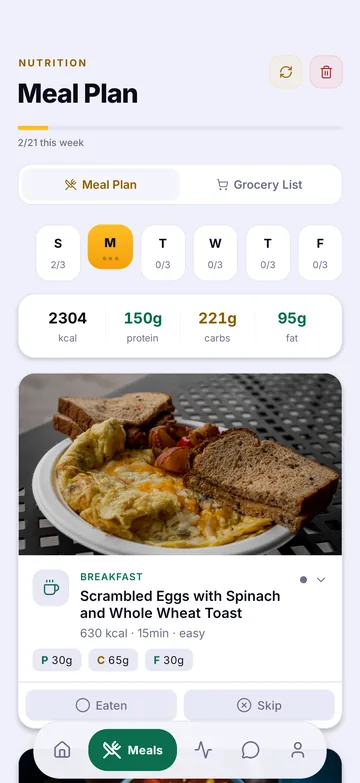
Calories and a protein, carb and fat breakdown for each meal. Mark meals as eaten or skip them, and use the grocery list for the week.
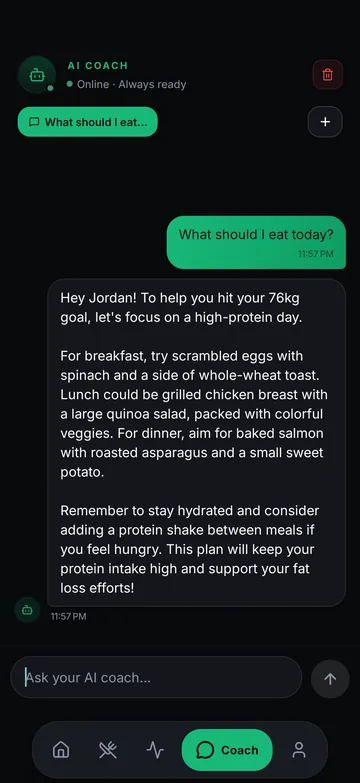
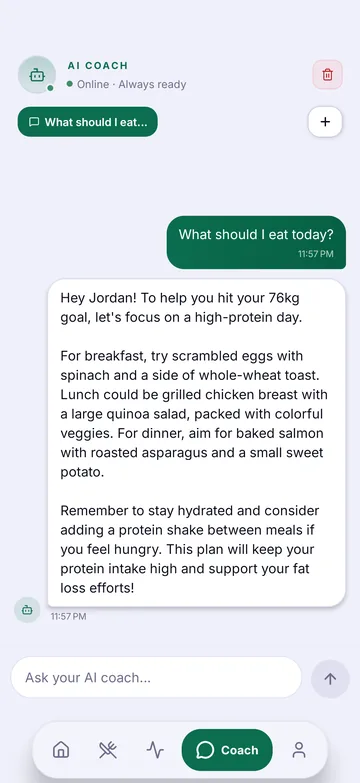
With Wyvo Max, ask the AI coach about your plan. It gives general guidance, not medical advice, and it can be wrong.
Sample data. Screens are from an earlier Android build and may differ from the final app.
02 Features
Meals, workouts, groceries, progress and a coach, planned around you.
Wyvo works out your daily calories and macros, then plans meals with a protein, carb and fat breakdown that add up across the day. Plans follow your diet and avoid the allergies you declare. Always check ingredients yourself.
Sessions with sets, reps and rest, matched to your goal, your schedule and the equipment you have at home or in the gym. Each exercise links to a demonstration video, and you log sets as you go.
Your meal plan becomes a shopping list you can tick off, so the week’s meals are easier to prepare.
Log meals, workouts, water and weigh-ins. See your history, streaks and weight trend toward your goal, and your plan adjusts around what you log.
With Wyvo Max, ask the AI coach about your plan and get answers that take your profile into account. It gives general guidance, not medical advice, and it can be wrong.
About AI contentNo ads, no tracking and no data sales. Steps, active energy and weight sync from Apple Health or Health Connect only if you turn it on, and Wyvo never writes back. Export your logs or delete your account in the app at any time.
Learn about privacy03 Process
Three steps, from your first answers to plans that keep adjusting.
Your goal, diet and allergies, how often you train, where you train and what equipment you have.
Wyvo uses AI to build meal and workout plans around your daily targets. With your consent, your profile is sent to Google’s Gemini to generate them.
Mark meals as eaten, log sets and weigh-ins. Wyvo adjusts your plans around what you actually do.
04 Availability
Try it free for 7 days. No payment method needed, and you are never charged when the trial ends. After that, choose a plan billed by the App Store or Google Play.
Wyvo for iPhone. Not available to download yet.
Wyvo for Android. Not available to download yet.
Includes the Wyvo Pro features. It never turns into a paid subscription on its own.
AI meal and workout plans with a monthly plan refresh, plus progress analytics. Monthly or annual.
The AI coach, with daily message limits, and frequent AI plan regeneration, subject to fair-use limits. Monthly or annual.
Prices are in US dollars and may change before launch. The App Store or Google Play shows the final price in your local currency before you buy. Cancel any time in your App Store or Google Play settings. The app is coming soon, so plans are not available to buy yet.
05 FAQ
Subscriptions are billed by Apple or Google, so you cancel them there. In Wyvo, open Profile and use the option to manage your subscription, or go to your App Store subscriptions or Google Play subscriptions. Cancel at least 24 hours before the renewal date to avoid the next charge.
Sign in with the same Wyvo account, then tap Restore Purchases on the plans screen. Use the same Apple ID or Google account that made the purchase.
Refunds are handled by Apple or Google under their own policies. Ask Apple at reportaproblem.apple.com, or use your Google Play order history.
In the app, go to Profile, then Export My Data for a CSV of your activity log, weigh-ins and workouts, or Delete Account to remove your account. Both are also on the plans screen after a trial or subscription ends. You can also request deletion by email.
On iPhone, open Settings, then Health, then Data Access & Devices, then Wyvo. On Android, open Health Connect and remove Wyvo's permissions. Wyvo stops reading new data straight away.
No. Wyvo gives general fitness and nutrition information, and AI output can be wrong. Check with a doctor before changing your diet or exercise, especially if you are pregnant, injured or managing a health condition.
Email [email protected] with a screenshot or a copy of the text and the date. Do not follow advice that seems unsafe for you.